
Search
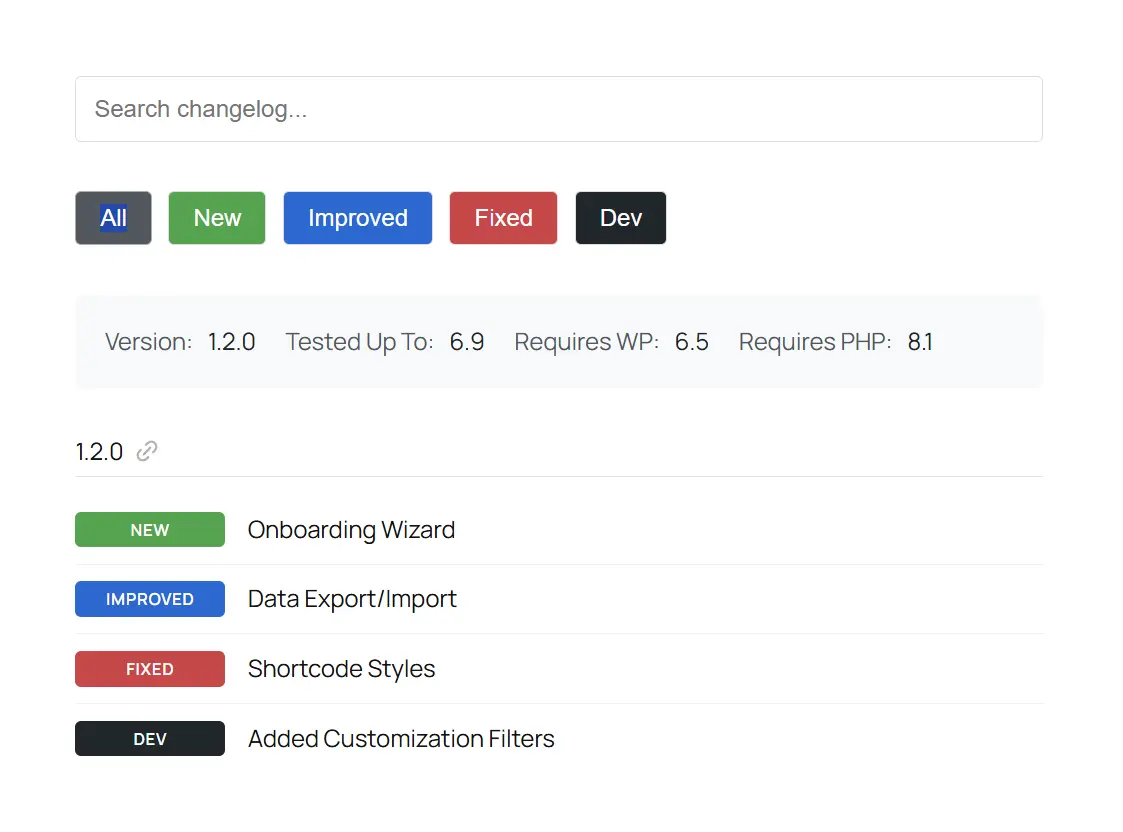
Users can search for keywords within your displayed changelogs to identify the corresponding release.

Badges
Beautiful, fully customizable badges with optional emojis to easily indicate what's new, improved, fixed, etc.
Filters
Changelogs can be filtered by corresponding badges (e.g., new, improved, fixed, etc.).

Meta
Display meta such as version numbers, WordPress version requirements, PHP version requirements, etc.

Share Releases
Users can quickly copy a link to a release for sharing with support or teammates.

Release Notes
Add free-form text to your releases to display important notices, highlight features, link to release posts, etc.

Timeline View
Display changelogs as a vertical timeline with version badges on the line and changelog items to the right.

Watchlist
Add a link to your changelogs so users can add your plugin to their watchlist and optionally be notified of updates.

Shortcode Builder
Display changelogs anywhere along with the desired attributes using our shortcode builder.

Block Editor Support
Drop the changelog block onto a post or page and fully customize your changelog as desired.

Page Builder Support
Easily add your changelog to your site, using any page builder with a shortcode element/widget.

Developer Filters
Several WordPress filters are provided for developers to customize changelog output and behavior.

Release History
Choose to show every release within your changelog or specify how many releases to show.

Install Plugin
Install our lightweight, free plugin and publish as many changelogs to your site as you'd like.
1

Configure Changelog
Configure the options and styling for your changelogs and place them anywhere on your site.
2

Get Discovered
Optionally send your changelogs to our platform to help the WordPress community discover you.
3


This is a fantastic plugin for developers to easily showcase plugin changelogs on their website. Super easy to set up and use. Very well made, a great development team, and fast support!

We have always struggled to keep our changelogs updated and looking good. But this plugin solved all that. Now we have great-looking changelogs, and it's a breeze to update—just copy and paste from our readme.txt. Solid plugin from a great team!

This plugin helps me display changelogs in an elegant manner with beautiful color-coded badges to indicate new additions, fixes, and improvements. A further bonus is the ability to publish changelogs to the ChangelogWP site for improved reach..